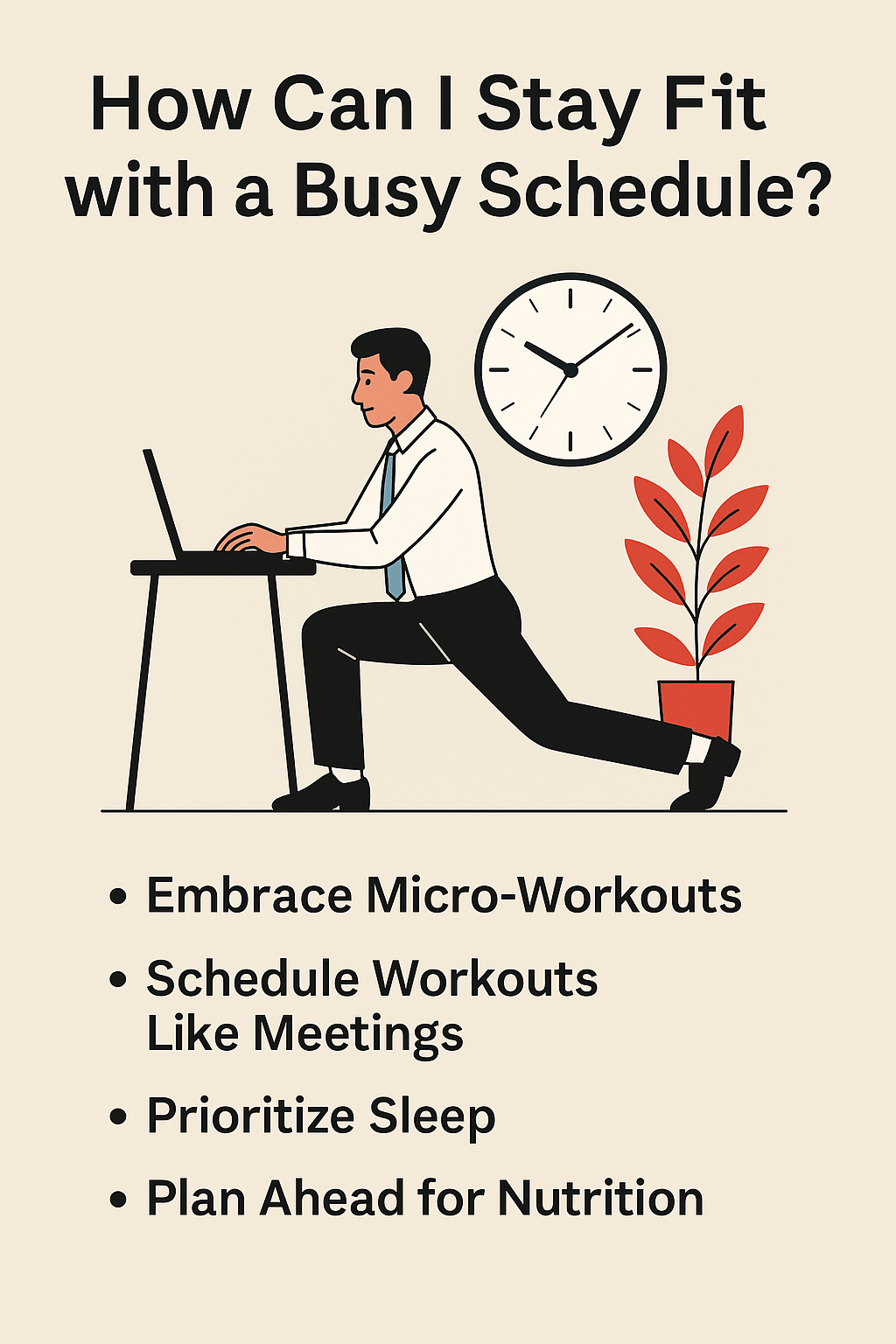
In the modern workplace, screen fatigue has become an all-too-common complaint. With professionals often logging 7+ hours a day in front of computers and devicesapnews.com, many experience tired eyes, headaches, and drained energy by day’s end. This blog post explores why screen fatigue happens, the risks of prolonged screen time, and 7 research-backed strategies to combat it. Busy professionals and entrepreneurs can use these practical tips to protect their eyes and maintain productivity.
Why Screen Fatigue Happens
Screen fatigue (also known as digital eye strain or computer vision syndrome) occurs because viewing digital screens places extra demands on our eyes. One reason is focusing muscle strain – when you stare at a close screen for long periods, the tiny muscle that focuses your eye’s lens stays tightened. It’s like holding a light weight above your head for hours; eventually the muscle becomes exhaustedapnews.com.
Another factor is reduced blinking. People normally blink around 15–20 times per minute, but computer users blink only about 3–7 times per minutemy.clevelandclinic.org. Infrequent blinking causes the eyes to dry out, since blinking replenishes moisture on the eye’s surfacemy.clevelandclinic.org. The result is dry, irritated eyes that feel gritty or blurry.
Digital displays themselves can add to the strain. Text and images on screens are made of tiny pixels, so our eyes must constantly refocus to keep these pixelated images sharpmy.clevelandclinic.org. Often the contrast between text and background on a screen isn’t as crisp as print on paper, making the eyes work hardermy.clevelandclinic.org. Glare from lighting or reflections can further compound this effect. Over time, these factors combine to leave your eyes feeling fatigued and achy.
Risks of Prolonged Screen Time
Prolonged screen use can cause numerous short-term health issues and discomfort. Common symptoms of screen fatigue include dry or red eyes, blurred or double vision, difficulty refocusing, and headachesuclahealth.orgapnews.com. Many people also experience general eye soreness or a burning sensation after marathon work sessions. In addition, staring at a screen all day can contribute to neck, shoulder, and back pain due to poor posture or craning your head forwardmy.clevelandclinic.org.
While these symptoms are usually temporary (there’s no evidence that screens cause permanent eye damageuclahealth.org), they can significantly impact your work and well-being. Eye strain and headaches reduce your ability to concentrate and may lower productivitymy.clevelandclinic.org. Persistently tired eyes can also make it harder to relax after work, cutting into personal time.
Over the long term, excessive near-focus may pose other risks. For instance, too much screen time (especially in children) has been linked to a higher likelihood of developing nearsightedness (myopia)apnews.com. And using screens late into the night can disrupt your sleep by exposing you to blue light that signals your brain to stay alertapnews.com. In fact, researchers have found that even just two continuous hours of screen use is enough to trigger noticeable eye strain in many individualsmy.clevelandclinic.org. The good news is that by adopting some smart habits and ergonomic changes, you can mitigate these risks. Below are seven practical strategies, backed by recent research and expert advice, to help reduce screen fatigue at work.
Actionable Strategies to Reduce Screen Fatigue
1. Follow the 20-20-20 Rule for Eye Breaks
One of the simplest and most effective ways to prevent eye fatigue is to give your eyes regular breaks. Vision experts recommend the 20-20-20 rule: every 20 minutes, look at something at least 20 feet away for 20 secondsapnews.com. This quick pause allows the focusing muscles in your eyes to relax and reset, preventing them from locking up from continuous near workapnews.com. Incorporating these mini-breaks can significantly reduce symptoms of eye strain.
Practical Tip: Set a recurring 20-minute timer or use a break reminder app on your computer. When it buzzes, shift your gaze to a distant object (out a window or down a hallway) and count to 20. This habit ensures you pause regularly instead of working for hours on end without a visual break.
2. Blink Often and Keep Eyes Moist
Digital eye strain is frequently aggravated by dry eyes. As noted earlier, our blink rate drops dramatically when staring at screens, which means the eyes aren’t being lubricated enoughmy.clevelandclinic.org. To counter this, make a conscious effort to blink more often while working. Blinking helps replenish the tear film that keeps your eyes comfortablemy.clevelandclinic.org.
If your eyes still feel dry or gritty, consider using lubricating eye drops (artificial tears) periodically. Eye doctors say that using moisturizing drops can relieve dryness from prolonged screen useapnews.com. In fact, the American Academy of Ophthalmology advises that taking regular screen breaks and using drops as needed are the best ways to avoid digital eye strain symptomsapnews.com.
For an easy reminder to blink, you can place a small sticky note that says “Blink!” on the edge of your monitoruclahealth.org. Each time you glance at it, you’ll remember to blink fully. Also ensure you stay hydrated by drinking water throughout the day – your eyes are part of your body, and proper hydration can help them stay moist.
3. Optimize Your Workspace Ergonomics
Your desk setup plays a big role in screen fatigue. A poorly positioned monitor or bad posture can force your eyes and neck to work harder than necessary. Start by adjusting your screen distance and height. The ideal position is about an arm’s length away from your eyes (roughly 20–28 inches) and with the center of the screen slightly below eye levelhealth.clevelandclinic.orgapnews.com. This way, your eyes gaze slightly downward at the screen, a position that is more comfortable and natural for both your eyes and neckhealth.clevelandclinic.org.
Make sure text is easy to read. If you find yourself squinting or leaning forward, either increase the font size or use a larger monitor. Research has found that using a larger screen or zooming in on text can help reduce eye fatigue for many peopleapnews.com. Also, ensure your chair, desk, and screen are set up to promote good posture – you shouldn’t have to hunch over or twist your neck to view your screen.
Ergonomic Setup Tips:
- Position your monitor at least 2 feet away from you (about an arm’s length) and 4–5 inches below eye levelhealth.clevelandclinic.org. This downward viewing angle reduces strain.
- Adjust your chair and screen so you can sit upright, with your shoulders relaxed. Your neck should be in a neutral position (not craning forward). Consider raising your monitor or laptop on a stand if it’s too low.
- Use larger text or screen zoom settings to make content comfortable to read without squintingapnews.com. If available, an external monitor can provide a bigger display and allow you to sit further back.
- Keep reference documents at a similar height and distance as your screen if you frequently look back and forth. This avoids repetitive head and eye movementshealth.clevelandclinic.org.
By optimizing your workspace for your eyes, you’ll not only reduce fatigue but likely improve your overall comfort and productivity at work.
4. Adjust Your Screen Settings and Lighting
Tweaking your display settings and office lighting can greatly decrease eye strain. Start with your screen brightness – it should be roughly matched to the ambient light of your environment. A screen that’s glaringly bright in a dim room (or too dim in a bright room) forces your eyes to strain. Adjust the brightness to a comfortable level, and consider enabling auto-brightness if your device has it, so it adapts throughout the day.
Minimize glare and harsh lighting around you. Glare on the screen or strong contrast between the screen and background light can cause eye fatiguehealth.clevelandclinic.orghealth.clevelandclinic.org. To reduce glare, position your monitor to avoid reflections from overhead lights or windowshealth.clevelandclinic.org. You can shut blinds or switch off certain lights if needed. If you still get glare, an anti-glare screen filter is a worthwhile investmenthealth.clevelandclinic.org. Also pay attention to contrast and text size settings on your screen – increase contrast or use dark text on a light background (or vice versa) for easier readinghealth.clevelandclinic.org.
Many modern devices offer night mode or blue light filters. In the evening hours, switching your display to a warmer color tone (night mode) or using a blue light reduction app can make the screen easier on your eyes and help prepare your brain for sleep. Doctors note that blue light from screens can increase alertness and disrupt sleep cyclesapnews.com. Using a built-in “dark mode” in the evening (or reducing the amount of blue light emitted by the screen) may alleviate some of that alertness, though the primary goal should be to limit screen use before bed (more on that below). The key is to create a visually comfortable viewing experience: not too bright, not too contrasty, and free of distracting glare.
5. Take Regular Physical Breaks to Move
Eye strain often goes hand-in-hand with overall fatigue from sitting still for too long. Taking regular physical breaks away from your screen can help on multiple fronts. Standing up, stretching, or walking for a few minutes not only gives your eyes a rest (as you’ll likely not be focusing on a screen during that time), but it also improves circulation and relieves muscle tension in your body. Many people report that a 5-minute walk or stretch every hour makes them feel refreshed and more alert when they return to work.
Research supports the value of these breaks. For example, one study found that continuous screen use beyond two hours significantly increases discomfortmy.clevelandclinic.org, so breaking up your sessions is important. You might synchronize physical breaks with your eye breaks: every 20 minutes do the 20-20-20 eye exercise, and after every 40–60 minutes of work, stand up and move around for a couple of minutes. Use that time to roll your shoulders, stretch your neck, or take a quick lap around the office. This routine can prevent the build-up of stiffness and fatigue that contributes to headaches and body aches during long workdays.
Practical Tip: Consider using the Pomodoro Technique (25 minutes of work, 5-minute break) or a similar interval schedule to remind you to pause. During at least some of your breaks, physically step away from your computer. Grab a glass of water, do a few simple stretches, or briefly step outside for a breath of fresh air. These mini-breaks will re-energize you and reduce the cumulative strain on your eyes and your body.
6. Set Boundaries on Screen Time (Especially After Work)
In our always-connected world, it’s easy to go from a full day of computer work straight into an evening of browsing on your phone or laptop. However, setting boundaries on screen time is crucial to reduce fatigue. Try to give your eyes substantial off-screen breaks each day, especially before bedtime. The blue light and mental stimulation from screens in the late evening can trick your brain into staying awake, making it harder to get restful sleephealth.clevelandclinic.org. Eye specialists warn that looking at your laptop or phone right before bed can keep your mind “whirring” and inhibit the quality of your sleephealth.clevelandclinic.org.
Aim to unplug 30–60 minutes before bed to let your eyes and mind wind down. For example, you might commit to putting away all work devices after a certain hour in the evening. If you normally relax by scrolling through your phone, consider swapping that habit for listening to music, a podcast, or reading a (printed) book to give your eyes a break. The American Academy of Ophthalmology recommends turning off screens one to two hours before sleep to allow the brain’s melatonin cycle to normalizeapnews.com. At the very least, enable night mode or lower the brightness on your devices at night to reduce harsh light.
It’s also wise to set daily screen limits for non-essential use. As a busy professional or entrepreneur, much of your screen time is necessary for work, so try to be mindful of optional screen activities. You could, for instance, designate certain times of day as “no-screen” periods (during meals, during your commute if possible, or the last hour of the day). By creating these boundaries, you’ll give your eyes extended rest periods. Not only will your eyes thank you, but you may find that unplugging reduces stress and allows you to recharge mentally. Remember Dr. Rishi Singh’s advice: “When it comes to your eye health, social media and email can wait.”health.clevelandclinic.org
7. Get Regular Eye Exams and Use Proper Eyewear
If you consistently experience screen fatigue or have trouble seeing clearly, it’s important to rule out any underlying vision issues. Uncorrected vision problems (like farsightedness or astigmatism) can make computer work much more fatiguing, as your eyes struggle to focus properlyhealth.clevelandclinic.org. Likewise, if your glasses or contact lens prescription is even slightly off, you might be unconsciously tilting your head or leaning in to see the screen better, leading to extra strain on your eyes and even your neck and shouldershealth.clevelandclinic.org.
Make a point to get regular eye exams (at least once every 1-2 years, or as advised by your optometrist). During an exam, be sure to mention your work habits and how many hours you spend on screens. Eye doctors can test your vision at the typical distance you sit from a computer. You might benefit from a special pair of computer glasses that optimize your vision at intermediate range. Even people who don’t need everyday glasses sometimes use prescription eyewear just for computer usehealth.clevelandclinic.org.
If you already wear corrective lenses, keep your prescription up to date. Small changes in your vision can significantly affect eye comfort during extended screen work. An eye checkup can identify these changes and help ensure you’re using the proper eyewear for work. By correcting your vision issues, you remove a major source of strain and often see an immediate improvement in comfort. Think of it as tuning up the “equipment” (your eyes) that you rely on every day for your job.
Finally, during your exam, ask your eye doctor about any additional recommendations for relieving digital eye strain. They may suggest anti-reflective coatings on your glasses (to reduce glare) or discuss the pros and cons of blue light filtering lenses. (Be aware, however, that blue light glasses are not a cure-all; studies have found they are not very effective at preventing digital eye strain itselfapnews.com – your habits and ergonomic setup matter much more.) The bottom line is that caring for your vision health proactively will help you work more comfortably and efficiently in the long run.
Conclusion: Prioritize Your Eyes – Your Productivity Will Thank You
Screen fatigue may be an inevitable side effect of our digital-driven work lives, but it is manageable with the right approach. By understanding why it happens and taking steps like regular eye breaks, better ergonomics, and enforcing screen-free time, you can significantly reduce your daily eye strain. Start by implementing even one or two of the strategies above – for example, take a break every 20 minutes and adjust your workstation setup – and you may notice a difference in how your eyes feel by evening.
Remember, protecting your eyes and well-being is not a distraction from work; it’s an investment in your long-term productivity and health. When your eyes are rested and your body is cared for, you can focus better, think more clearly, and accomplish more during the day. So take it as a challenge: this week, put these tips into practice. Adjust that screen brightness, blink and breathe, step away from the laptop on your breaks, and set a cutoff time for emails at night. Your future self – less fatigued, more energized, and maybe even headache-free – will be grateful. In the hustle of work, don’t forget to take care of yourself. By reducing screen fatigue, you’ll not only feel better, but you’ll also be able to bring your best, most refreshed self to everything you do. Your eyes work hard for you – now it’s time to give them the care they deserve. uclahealth.orgapnews.com